
April 1st passes, and the April Fools pranks vanish, leaving you to question everything you read on that day.
But scammers continue their relentless activity, ignoring the calendar.
Spring marks a peak period for cybercriminals. Not because teams are negligent, but because the rush and distractions of daily tasks create openings for nearly convincing attacks that blend seamlessly into routine work—often unnoticed until damage is done.
Here are three ongoing scams targeting not the naïve, but intelligent, diligent employees striving to manage their responsibilities.
As you explore these examples, consider: Would every member of my team pause and recognize these threats?
Scam #1: The Toll or Parking Fee Scam Text
An employee receives a text message:
"You owe an unpaid toll of $6.99. Pay within 12 hours to avoid late fees."
The message references a legitimate toll system—E-ZPass, SunPass, FasTrak—matching their state. The small charge seems harmless, so between meetings, they click and pay quickly.
But the link is fake.
In 2024 alone, the FBI logged over 60,000 reports of counterfeit toll texts, with a staggering 900% surge in 2025. Researchers uncovered more than 60,000 spoofed domains posing as state toll authorities, highlighting the lucrative nature of this scam. Some messages even targeted residents in states without toll roads.
This scam succeeds because a $6 charge feels low risk, and most people have recently encountered tolls or parking, making the claim believable.
The best defense: authentic toll agencies don't demand immediate payment via text. Smart organizations enforce a strict policy—never pay through text links. If a payment notice seems real, employees verify independently by accessing the official website or app. They avoid responding to such texts—even with "STOP"—to prevent confirming their number's activity, which invites more fraud.
Convenience entices. Vigilant process protects.
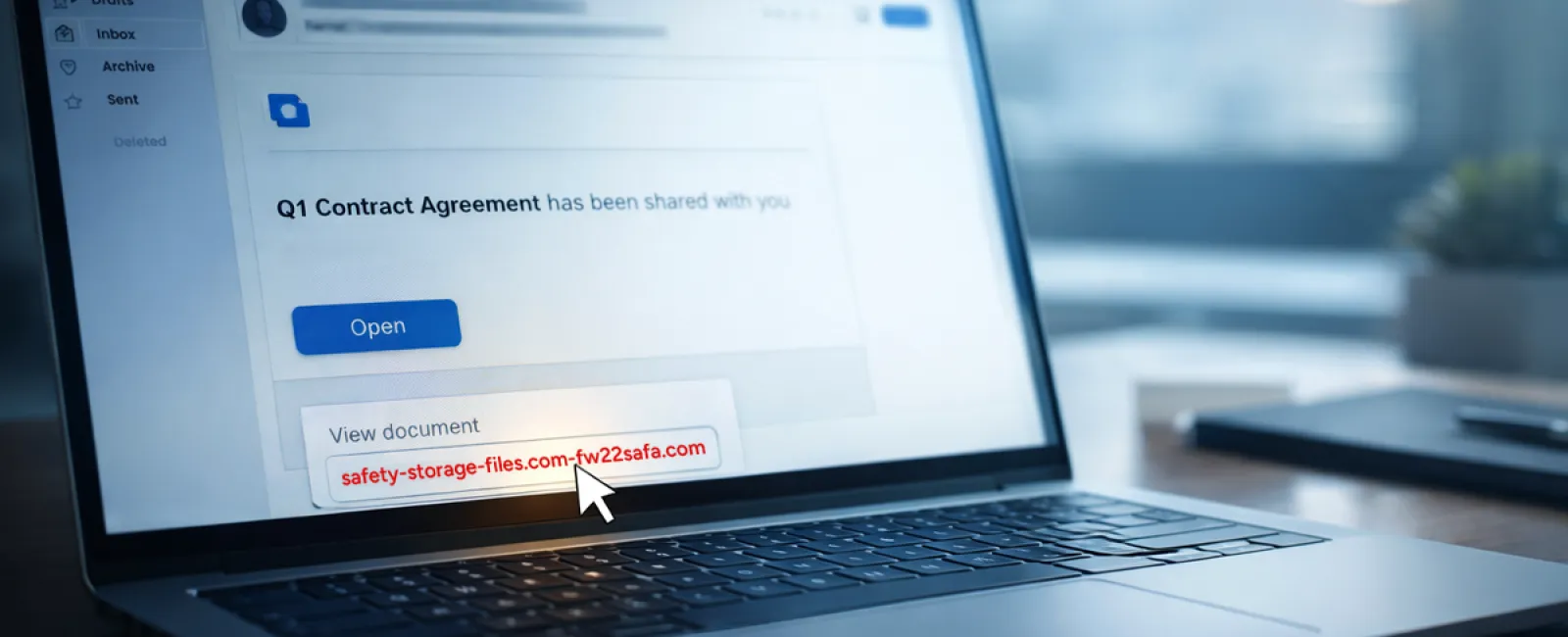
Scam #2: The "Your File Is Ready" Phishing Trap
This scam integrates smoothly into daily workflows.
An employee receives an email claiming a document was shared, perhaps a contract via DocuSign, a spreadsheet in OneDrive, or a file in Google Drive.
The sender appears legitimate, and the email mimics typical file-share alerts perfectly.
They click, prompted to log in, and unknowingly submit their credentials.
Now, attackers have access to your company's cloud environment.
Phishing using trusted platforms like Google Drive, DocuSign, Microsoft, and Salesforce surged 67% in 2025, according to KnowBe4's Threat Labs. Google Slides phishing URLs alone increased over 200% in a recent six-month timeframe.
Employees are seven times more likely to click links from OneDrive or SharePoint notifications because they closely resemble genuine alerts.
Even more sophisticated: hackers compromise an account, create malicious files within it, and send notifications from legitimate company servers, bypassing spam filters.
Your best safeguard: Train employees not to click links in unexpected shared-file emails. Instead, they should directly log into the platform to check for new files. Additionally, businesses can minimize risk by restricting external sharing permissions and enabling alerts for unusual logins—settings your IT team can implement quickly.
Simple caution. Powerful protection.
Scam #3: The Too-Perfect Email Scam
Gone are the days when phishing emails were easy to spot thanks to poor grammar, odd layouts, or nonsense text.
Now, AI-crafted phishing emails have a click rate of 54%—more than four times higher than human-written scams, as revealed in a 2025 academic study. They use real company details, accurate job titles, and authentic workflows scraped swiftly from LinkedIn and corporate websites.
These attacks are even tailored departmentally: HR and payroll receive fake employee verification requests, finance teams get fraudulent vendor payment change notices. In one test, 72% of recipients clicked vendor impersonation emails—a 90% higher engagement rate compared to other phishing types. These messages are calm, professional, and urgent without dramatic flair, blending naturally into inboxes on any typical day.
Effective protection: Always verify requests involving credentials, payment changes, or sensitive info through a second channel like a phone call, chat, or face-to-face. Before clicking links, employees should hover over sender addresses to confirm legitimate domains. Any email creating urgency should trigger suspicion.
True security doesn't rely on panic-induced clicks.
Key Takeaway
Each of these scams relies on familiarity, perceived authority, precise timing, and the false belief that "this will only take a moment."
The real threat isn't careless people but systems that assume everyone will consistently slow down, double-check, and make ideal decisions under pressure.
If one rushed click can disrupt your entire day, the problem lies in flawed processes, not the individuals.
And the great news? You can fix process weaknesses.
How We Can Support You
Most business owners don't want additional projects or to become the educators for what NOT to click.
They simply want confidence that their companies aren't quietly vulnerable.
If you're worried about your team's exposure—or know another owner who should be—you're invited to a candid consultation.
Book a no-pressure discovery call where we discuss:
- Current cyber risks facing businesses like yours
- Common entry points hidden in routine work tasks
- Practical strategies to reduce risk without slowing your team down
There's no scare tactics, just straightforward conversation to identify risks and explore solutions.
Click here or give us a call at (918) 770-9150 to schedule your free 15-Minute Discovery Call.
If this message doesn't apply to you, please share it with someone who would benefit. Often, awareness alone transforms a near-miss into a thwarted scam.


